The video platform that helps you grow.
Turn what you know into immersive, story-driven videos that pull your audience in. Help them grow as much as you do, then share in every format. A complete studio in your browser: no equipment, no editing, no technical skills.
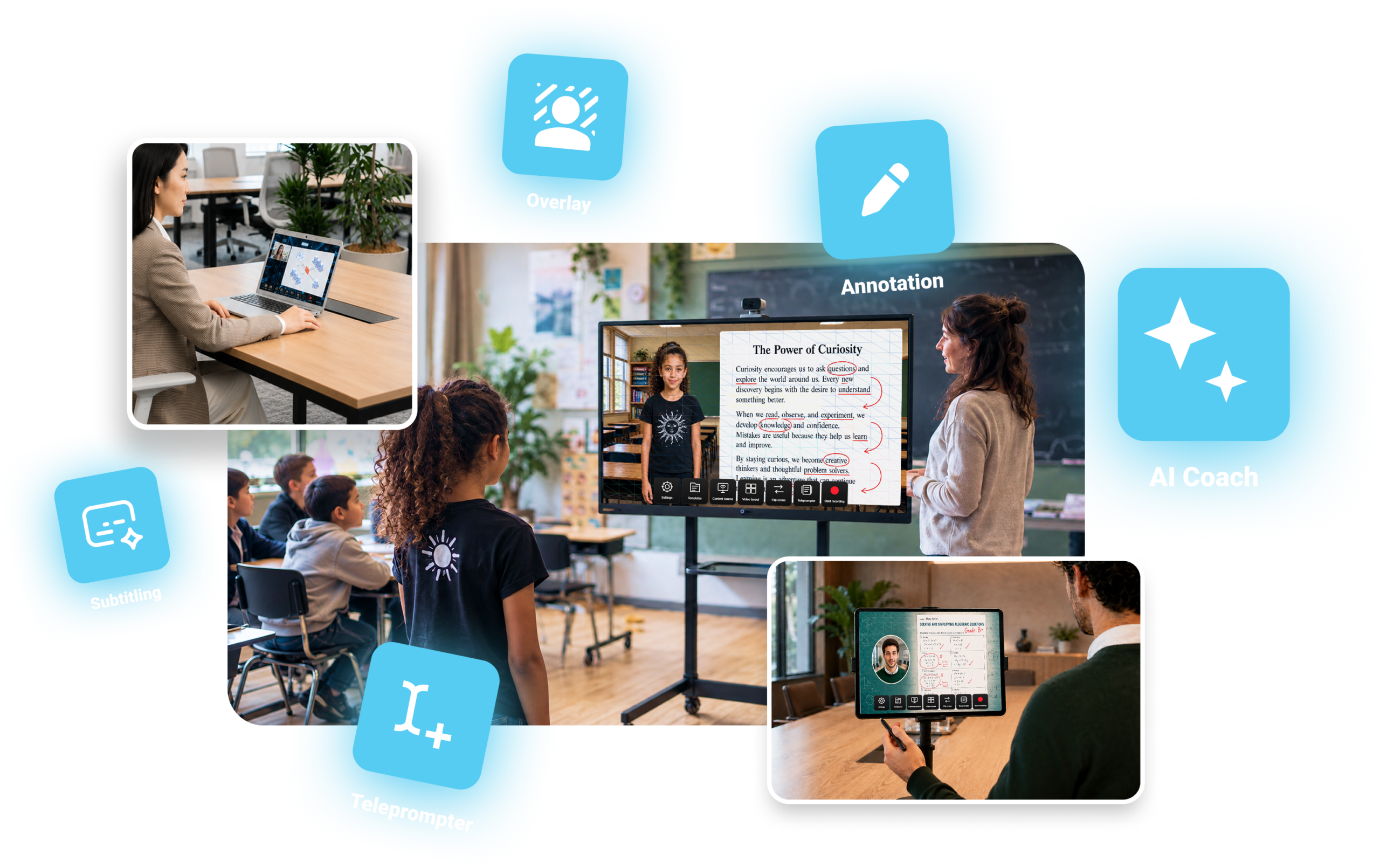
What can it actually do for you?
Choose your profile: the same tool, the same simplicity, uses that adapt to you.
Train your teams and grow their skills.
Onboarding, procedures, internal communications, sales pitch: film yourself once, with no studio and no editing, then share content that’s clear, subtitled, and reusable.
- Onboarding and internal procedures
- Internal communications and announcements
- Pitches, product demos, leadership messages
Bring your lessons to life and put students center stage.
Immersive backdrops, live annotations, learning paths and quizzes: turn a lesson into an experience students can revisit at their own pace. Teachers and students alike become creators.
- Immersive lessons and flipped classroom
- Learning paths, quizzes, and SCORM export
- Speaking practice for students
Video, but not just for video’s sake.
With Stoodeo, recording is just the starting point. You create, you grow, then you pass it on, at your own pace and for your own audience.
Create
Immersive, story-driven videos with no studio and no editing: ready-made or custom scenes, overlay, live annotations, subtitles, and translation.
Grow
Learning sticks because it’s lived: the content comes to the learner, interactive, learning by doing. And the AI Coach helps everyone improve their delivery.
Pass it on
Your video instantly adapts to the formats of your channels, and the Learning Pack turns it into chapters, quizzes, and recaps ready to share.
On all your screens, in a few clicks.
A browser, a mic, a camera, and you’re creating: on your computer, your tablet, or a big screen in front of a group. Accessible to everyone, effortlessly.
On your computer
All the power of the studio, in the browser you already use. Nothing to download, nothing to set up.
On your tablet
Create right next to your subject, wherever you are. The touchscreen becomes your workspace.
On your interactive display
Perfect for presenting to a group or a team, and creating at full scale, settled comfortably in front of the display.
Filming becomes effortless.
The tech fades behind what you have to say. You compose your scene right in the preview and adjust every element in a few clicks: your camera, your slides, a 3D object, a background. What you see is exactly what you record.
- Simple scene editing, with no software to learn
- Every element adjusts live in the preview
- Position, size, framing, camera shape in a few clicks
- Nothing to install, ready in seconds
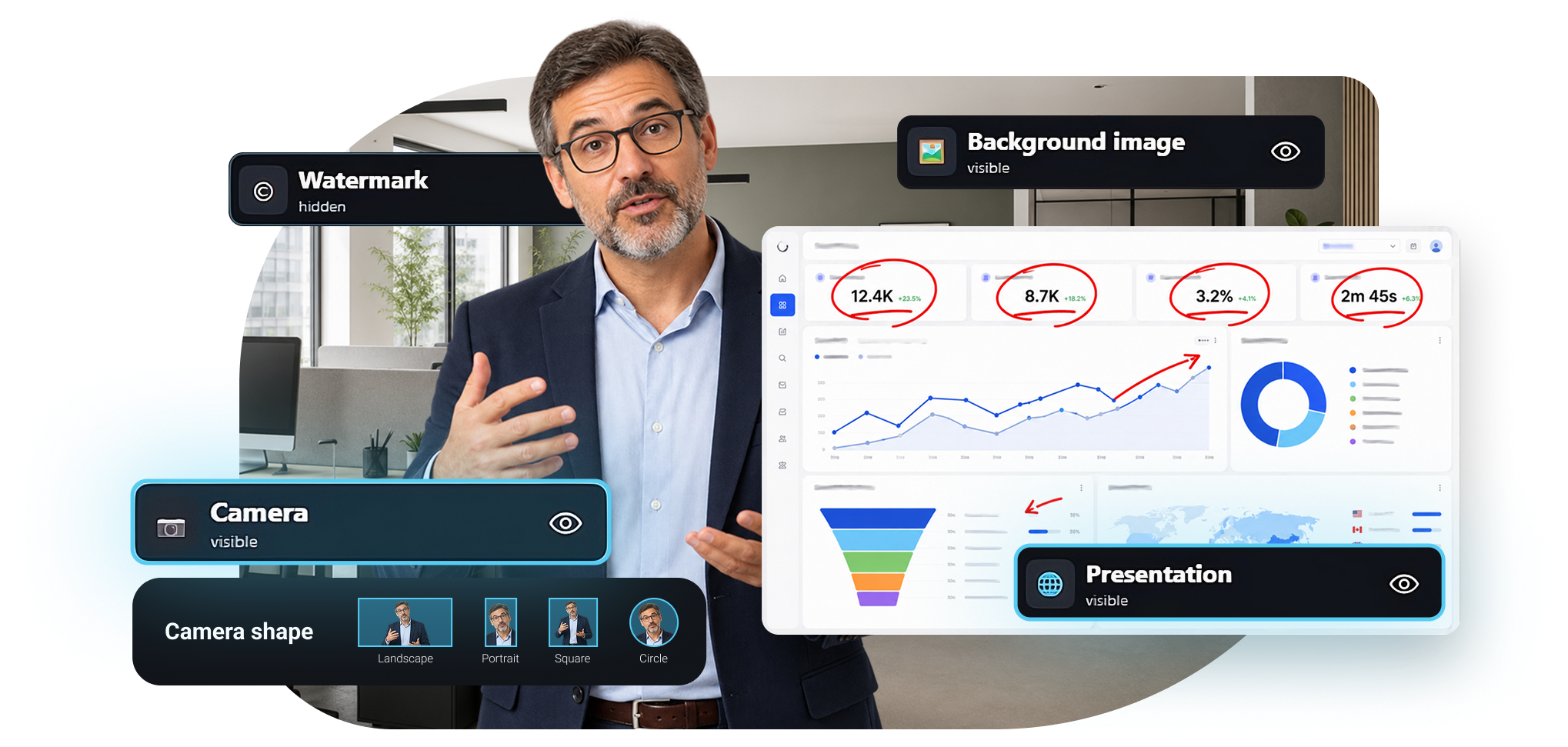
Scene elements adjust live, without ever leaving the preview.
Start from a template. Or build your own.
Plenty of ready-made templates get you going in seconds. And you stay in control of everything: edit every scene, save your own templates, import your backdrops, your visuals, and your 3D objects.
- Plenty of templates, ready to use
- Edit everything: backdrops, framing, elements, staging
- My templates: save and reuse your scenes
- Import your visuals, your backgrounds, and your 3D objects
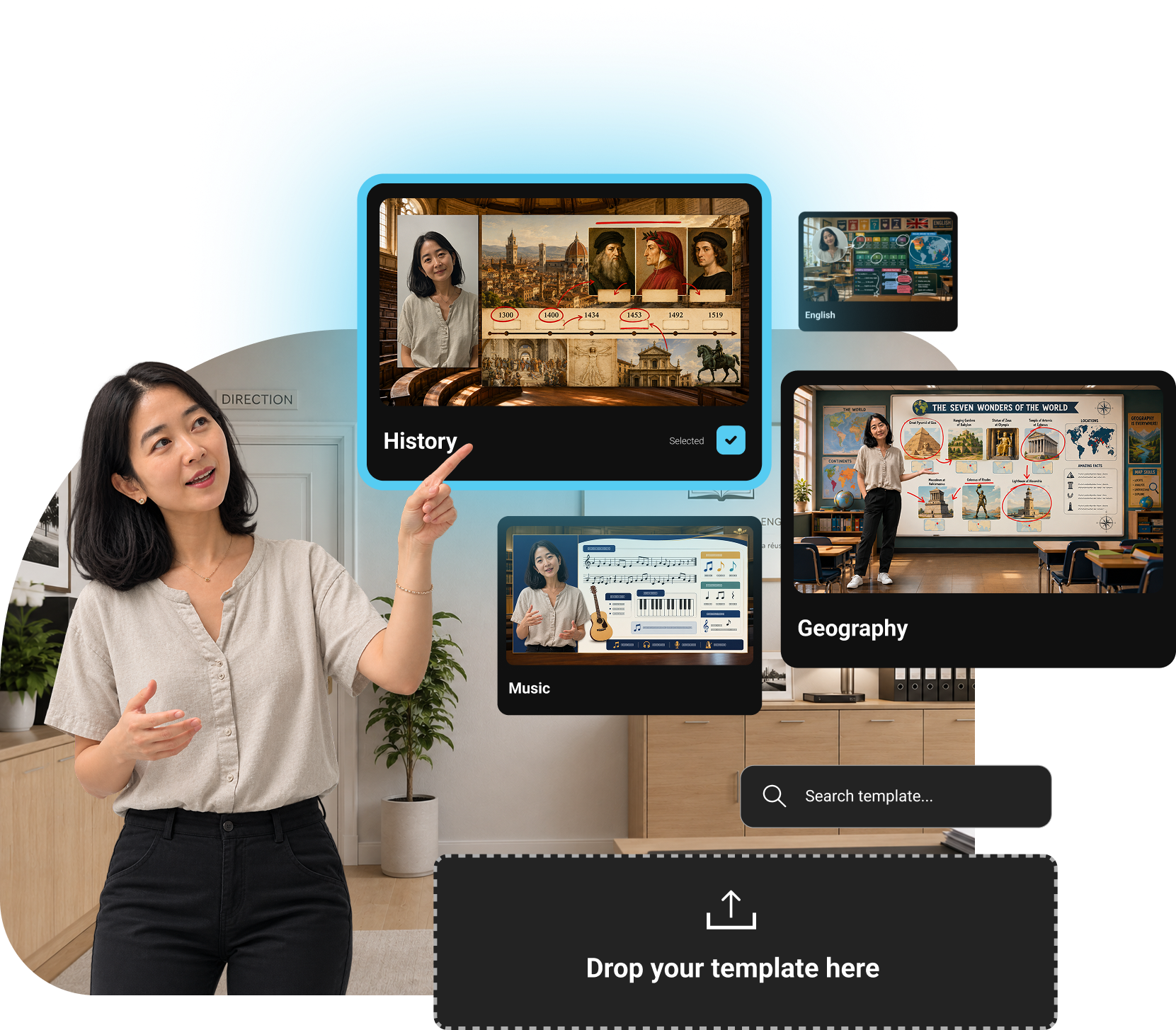
Built-in templates, your own templates, and import of your content.
Stoodeo isn’t just for recording a message. It lets you tell it, and live it from the inside.
Where a plain recording just delivers information, Stoodeo stages what you have to say. Form matters as much as content: you understand better, you remember more, you truly grow.
Show it, don’t just say it.
Write, circle, arrow, check, connect: annotate live around, over, or beside any element you’re presenting, however simple or complex. Your viewers no longer just watch, they engage.
- Draw live around any content
- Check, connect, highlight: real interaction
- Color palette, stroke widths, eraser
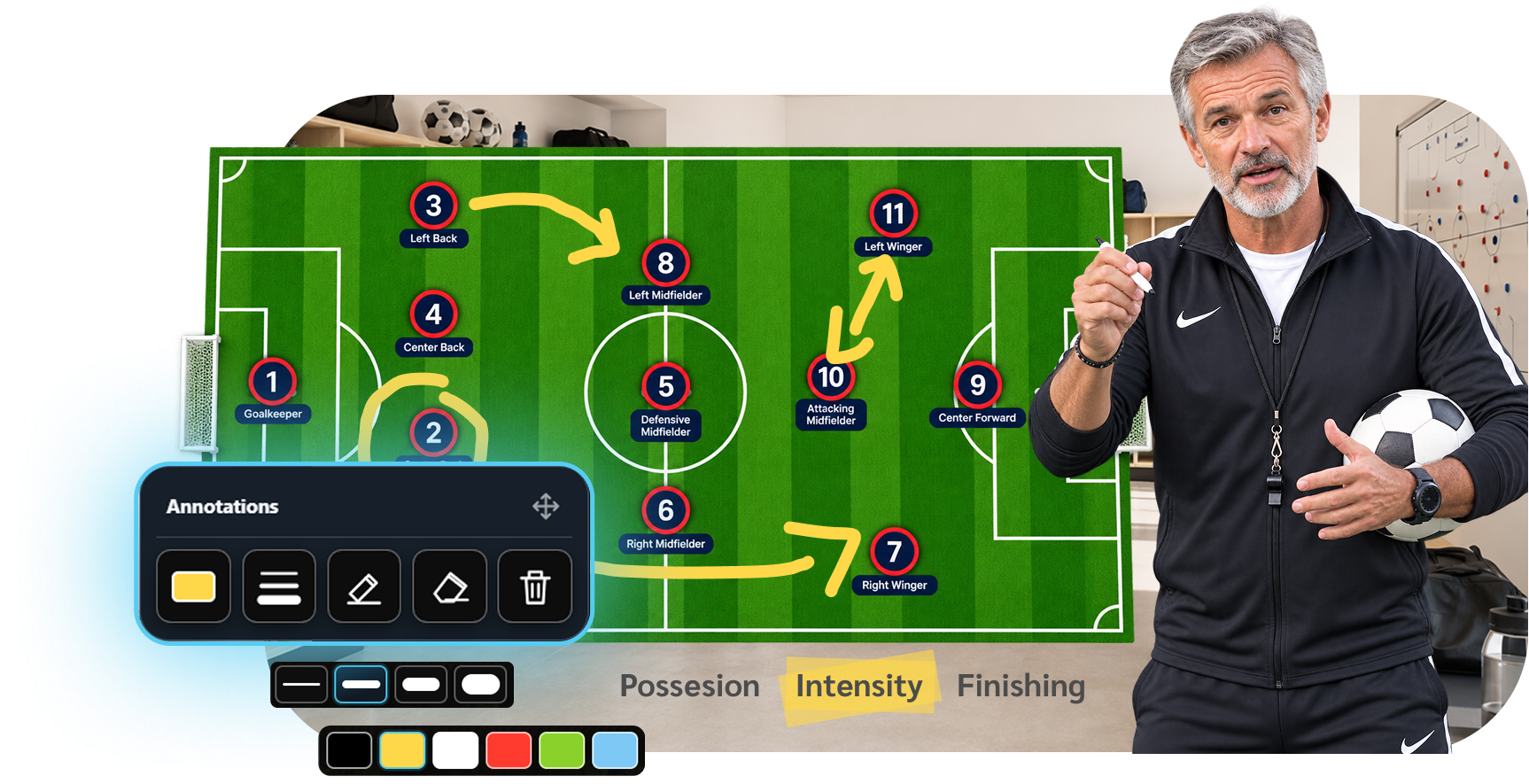
Annotate live, here a freehand arrow drawn over a 3D object.
One video, many languages, far greater reach.
Your message doesn’t stop at one language. Generate subtitles from your teleprompter text or from your voice, then adapt the video into other languages to reach far more people. The same message, understood everywhere.
- Built-in teleprompter to stay at ease on camera
- Subtitles from the teleprompter or by voice transcription
- Translation into other languages to widen your audience

The teleprompter smooths your delivery; subtitles and translation are generated by AI.
You, on screen, exactly how you want.
With no extra equipment, choose how you appear: overlaid into your content, tucked to the side picture-in-picture style, or replaced by an avatar.
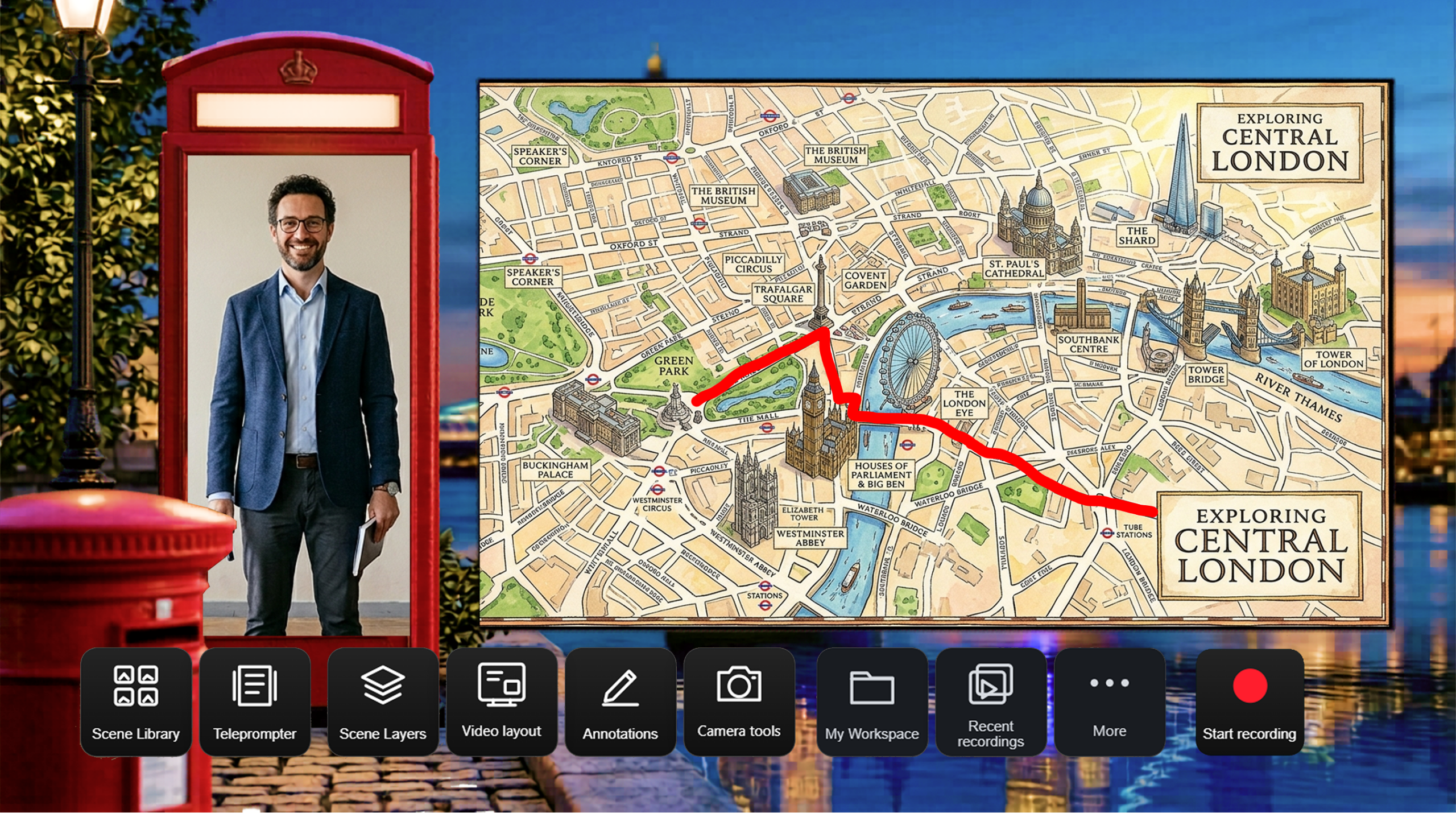
On a template
Show yourself in a preset scene, backdrop and framing included.
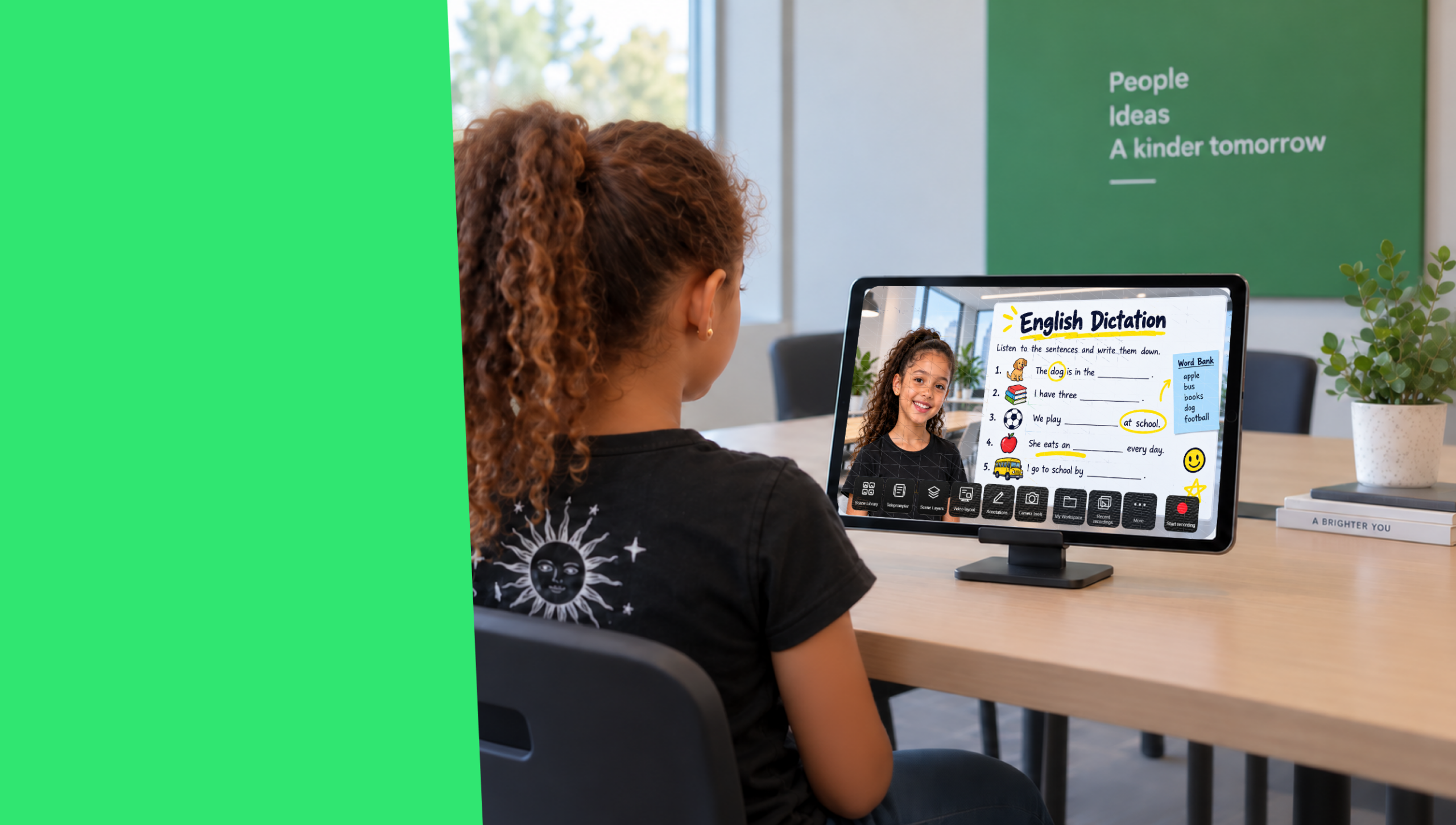
Green-screen keying
Got a green screen? A real plus for an even cleaner cutout.
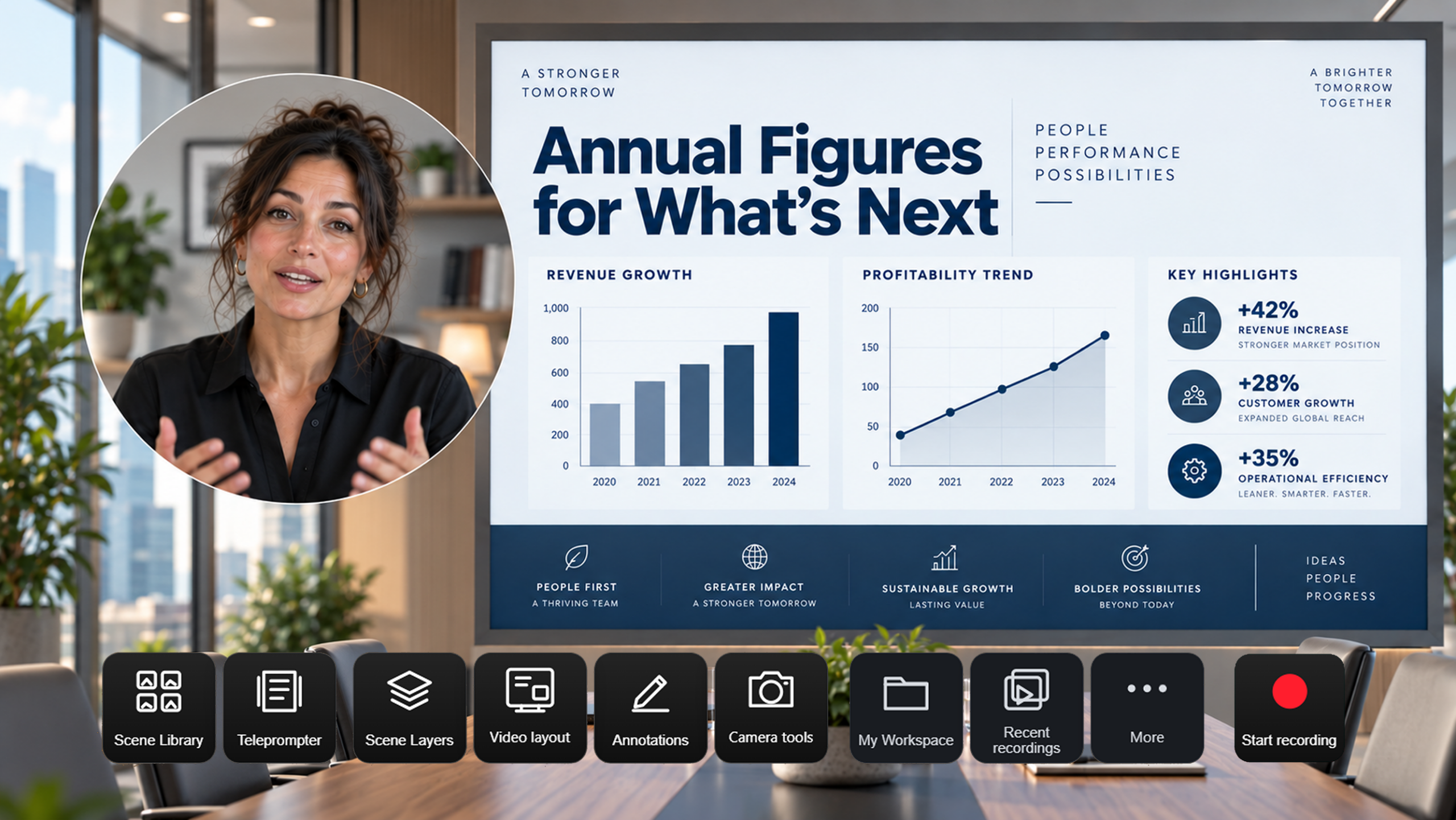
Green-screen-free removal
No green screen? The cutout lifts you out and drops you into the scene.

As an avatar
Need to stay low-key? Switch to an avatar in one click.
After filming, your video keeps working for you.
Two modules included with Stoodeo: one helps you improve the way you express yourself, the other turns your video into structured, shareable content.
A coach that sees your video, not just numbers.
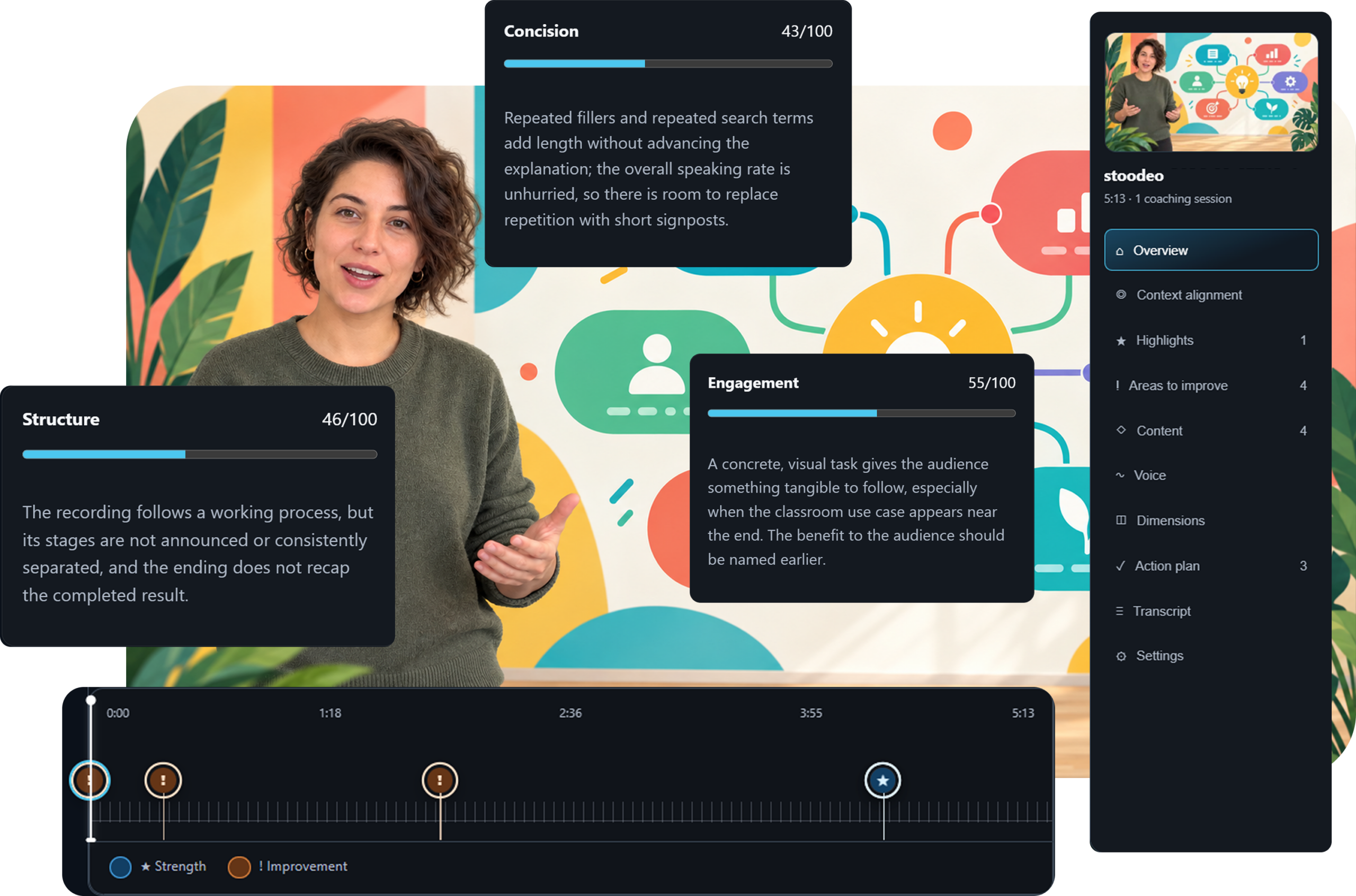
The AI Coach analyzes your recording and gives you real feedback, anchored in time, far more than simple metrics.
- A timeline of your video with key moments spotted and placed
- Recommendations tied to each moment, precise and concrete
- Feedback you can edit and replay: come back, adjust, run it again
- Ideal for presenting, teaching, pitching, or convincing better
One video. A complete learning path.
The Learning Pack detects the parts of your video and turns it into a structured learning resource, ready to share.
- Chapter detection and automatic video segmentation
- Builds a learning path from the content
- Generates a quiz, a recap, and reusable resources
- Editable content, adaptable to how you teach
- SCORM export, readable by your LMS
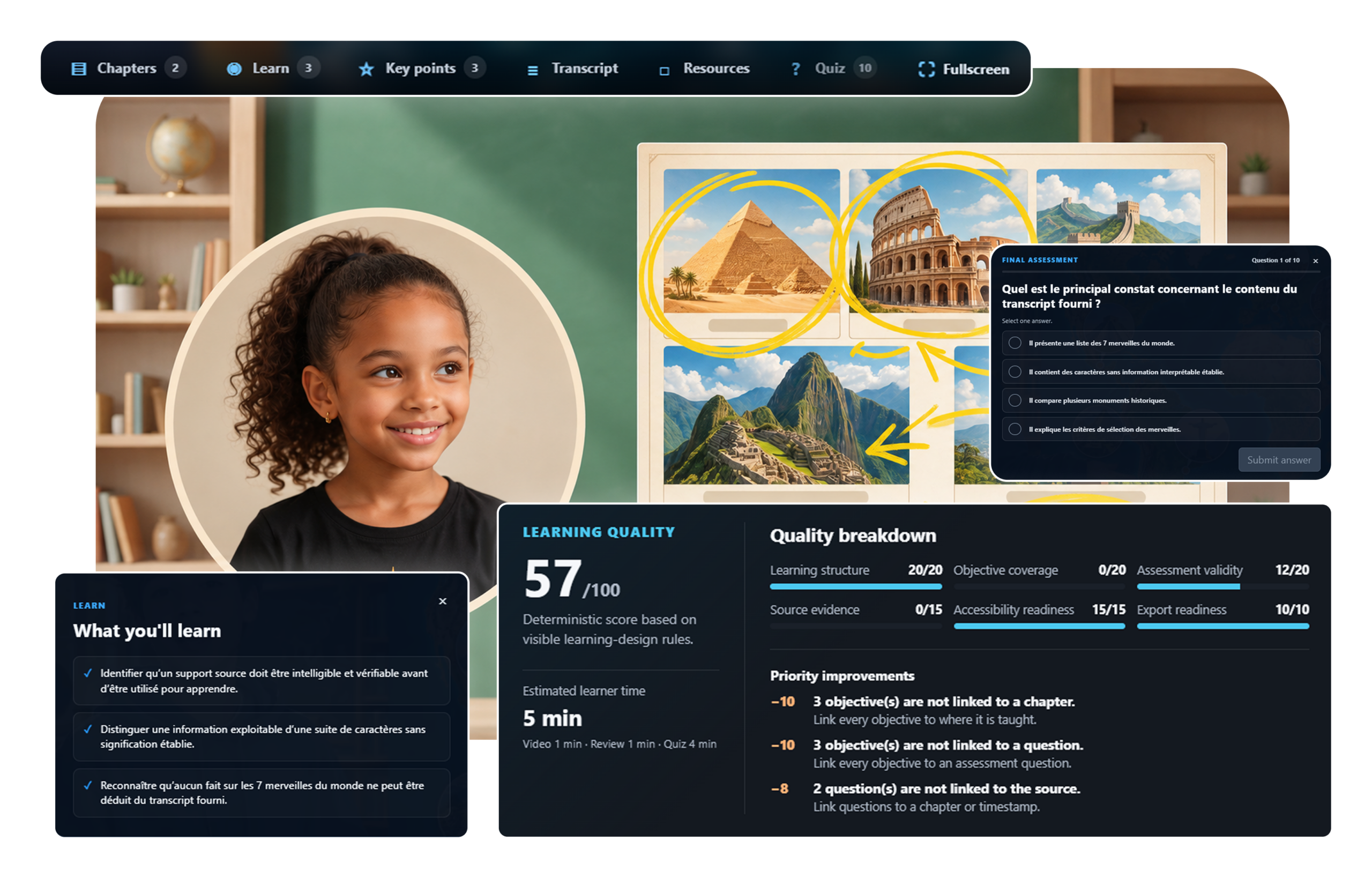
Modules to go further. More on the way.
AI imitates humans better and better. We keep the human real.
Today’s tools compete to feel more human: an avatar that looks like you, a cloned voice, a fully generated presenter. It’s stunning, but it’s not what we’re about. At Stoodeo, the real person stays at the center, and AI works behind the scenes to reveal them, never to replace them.
The all-AI approach
- A synthetic avatar borrows your face and your voice
- The real person disappears behind the machine
- An impressive result, but one that feels artificial
- Generated video, no longer really someone passing something on
The Stoodeo approach
- You, for real, on camera, in a scene that’s ready to go
- AI stays behind the scenes: background removal, subtitles, translation, backdrops, and much more
- An authentic presence, the kind that builds trust
- A message that becomes a ready-made teaching kit: chapters, quizzes, and recaps generated automatically
And if you’d rather stay in the background, Stoodeo has an avatar too: as an option you choose, never as a substitute forced on you.
Start by creating. Step it up as your needs grow.
Start free with assisted, enhanced capture. The subscription then unlocks every building block of the production and sharing chain, for more volume and higher quality.
- Real creation in the browser
- Templates, scene editing, annotations, teleprompter
- Subtitles from your text
- Publishing and sharing
- Everything in Free, unlimited and watermark-free
- AI Coach and Learning Pack included, with usage credits
- Stoodeo Cloud: backup and access across all your devices
- AI credits: subtitles, backgrounds, and translation